ruditoto Casino & Sportsbook Mobile App
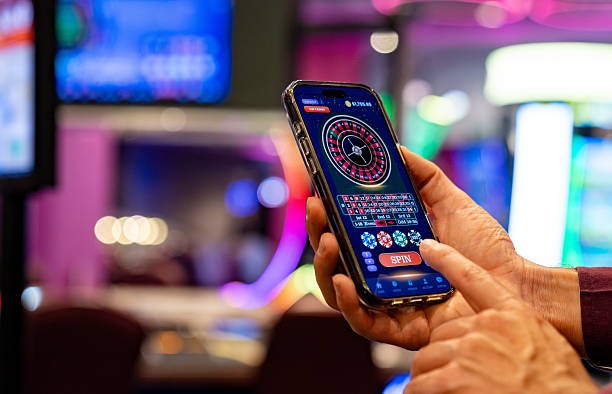
Mobile-first access to our platform means you can follow live football across Liga 1 and Piala AFF, join live-dealer tables, and play slot games from anywhere within supported jurisdictions. We at ruditoto have built separate download paths for Android, iOS browser access, and web app installation—each optimised for your device type and network conditions.
- Update
- SHA256 Match
- and
- StartFirst Game
Our Android APK allows direct installation without Google Play restrictions. iOS users access our platform through the Safari browser or by installing our web app to the home screen. Web-app installation works across all devices and requires no app store approval, making it our fastest deployment method for users in regions where store availability varies.
The ruditoto mobile experience keeps your account data synced, your payment methods secure, and your session state preserved across devices. Whether you prefer native app speed or browser convenience, we support both paths with the same account, payment methods (DANA, e-wallet, mobile banking, local payment, online payment, e-wallet, and major Indonesian banks), and multilingual support during business hours.
Installation paths on ruditoto
Android users download our APK file directly to their device, then enable installation from unknown sources in security settings. No Google Play account is required. iOS users open our web app in Safari, tap Share, and select Add to Home Screen to create an app-like icon. Web browser users simply navigate to our domain and begin their session—no installation needed.

-
Download the ruditoto app or open our web address
Choose Android APK, iOS web app, or browser access depending on your device.
-
Complete account registration
Provide username, email, password, and mobile number; agree to our terms.
-
Submit KYC documents for account verification
Upload identity and address proof; our team processes these during business hours.
-
Make your first deposit and begin playing
Use DANA, e-wallet, mobile banking, local payment, online payment, e-wallet, or your preferred Indonesian bank.
App versus browser on ruditoto
Our Android APK app offers offline caching for faster load times, push notifications for match updates and promotional messages, and a native interface that reduces dependency on browser rendering. The iOS web app provides similar speed but relies on Safari's engine; both deliver consistent performance on devices running Android 7 or later and iOS 12 or later. Web browser access requires an active internet connection and works identically across devices—no installation overhead, instant updates, and no app permissions to grant.

Device compatibility on ruditoto
We support Android 7 and later, iOS 12 and later, and all modern desktop browsers. Older devices may experience slower performance or missing features. If your device is near or below these specifications, web browser access is the safest option.
Push notifications on our app alert you to live match updates, tournament schedules (such as Liga 1 fixtures or Piala AFF draws), and account activity—all without visiting the app itself. This is convenient for users who want to stay informed about events relevant to their interests. Browser users do not receive notifications unless they enable them in their browser settings, but they retain full access to all games, markets, and account features.
Installation troubleshooting and account security on ruditoto
Android users who encounter "Unknown Sources" errors when installing our APK must navigate to Settings → Security → Unknown Sources and enable installation from untrusted sources. This is a device-level permission, not a ruditoto restriction. If installation fails after enabling this setting, check that your device has sufficient free storage (at least 100 MB) and that you are downloading from our official domain, not a third-party mirror. Some Android versions require explicit app permission confirmation after download completes.
iOS users installing our web app may see a prompt asking whether to trust our domain certificate. This is normal and occurs only once per device. Tap Trust to proceed. If the app icon does not appear on your home screen after selecting Add to Home Screen, try restarting Safari and repeating the process. Some iOS versions cache the old version; force-close Safari and clear its cache (Settings → Safari → Clear History and Website Data) before reinstalling.
Data and permissions on ruditoto
- Our Android app requests camera and file-storage permissions only for KYC document upload.
- We do not access your contacts, call history, or location without explicit user action.
- All payment data is encrypted in transit; we never store full card numbers or bank credentials on your device.
- Your account credentials remain on our secure server. Logging out locally does not delete account data.
- Uninstalling the app does not close your account; you can reinstall and log back in anytime.
If you forget your ruditoto account password, use the password-recovery link on our login page. We will send a reset link to your registered email address. Recovery typically processes within a few minutes during business hours. If recovery fails, contact our multilingual support team with your username and registered email; we will verify your identity using KYC documents already on file. Account recovery may take longer during peak hours or outside business-hours windows, so plan accordingly.
Our services are available only where local law permits. We do not offer our services in jurisdictions where online wagering is prohibited. Users are responsible for verifying that access and use comply with the laws of their own jurisdiction. If you have questions about the legal status of our services in your region, contact our support team.
Our multilingual support team is available during business hours to assist with app installation, account access, KYC verification, and withdrawal inquiries. Contact us via the support channels listed on your account dashboard.